.svg)
.svg)


.jpg)
Every small business depends on technology to stay productive and competitive. But without the right small business IT support, even minor tech issues can lead to downtime, lost data, or security risks. In this blog, you'll learn why support services matter, the most common mistakes to avoid, and how managed IT services can help. We'll also cover cybersecurity basics, cloud services, and practical steps to protect your business as it grows. You’ll get actionable tips and answers to common questions about business continuity, troubleshooting, and disaster recovery.
What you need to know about small business IT support
Small business IT support is more than just fixing computers. It’s about making sure your technology works smoothly so you can focus on running your business. Reliable support helps you avoid unexpected downtime, keeps your data safe, and ensures your team can work efficiently. With the right partner, you can tailor your support needs to match your business goals and budget.
Choosing the right support for small businesses means thinking about more than just price. You need a provider who understands your industry, offers fast help desk response, and can troubleshoot issues before they become big problems. As your business grows, your IT needs will change, so flexibility is key.

Costly mistakes to avoid with small business IT support
Even with the best intentions, many business owners make mistakes when setting up IT support. Here are the most common pitfalls and what you can do to avoid them.
Mistake #1: Ignoring cybersecurity basics
Many small businesses think cyber threats only target large companies. In reality, attackers often go after smaller organizations because they expect weaker defenses. Not having strong cybersecurity measures puts your data and reputation at risk.
Mistake #2: Skipping regular data backup
Failing to back up your data can lead to disaster if files are lost or corrupted. Regular data backup ensures you can recover quickly from hardware failures, accidental deletions, or ransomware attacks.
Mistake #3: Delaying software updates
Outdated software is a common entry point for hackers. Make sure your systems and applications are always up to date to safeguard against known vulnerabilities.
Mistake #4: Not planning for downtime
Unexpected downtime can halt your business operations and cost you money. Having a business continuity plan and backup solutions in place helps you get back to work faster after an outage.
Mistake #5: Relying on a single IT person
Depending on one person for all your IT needs can be risky. If they’re unavailable or leave, you could be left without support. Managed IT services for small businesses provide a team approach and more reliable coverage.
Mistake #6: Overlooking cloud services
Cloud services offer flexibility, scalability, and remote support options. Ignoring these tools can limit your productivity and make it harder to adapt as your business grows.
Mistake #7: Not tailoring support to your business
Every business is different. Choosing generic support options instead of tailored solutions can leave gaps in your technology strategy and slow your growth.
Key benefits of choosing the right IT support
Working with a reliable IT support company brings many advantages:
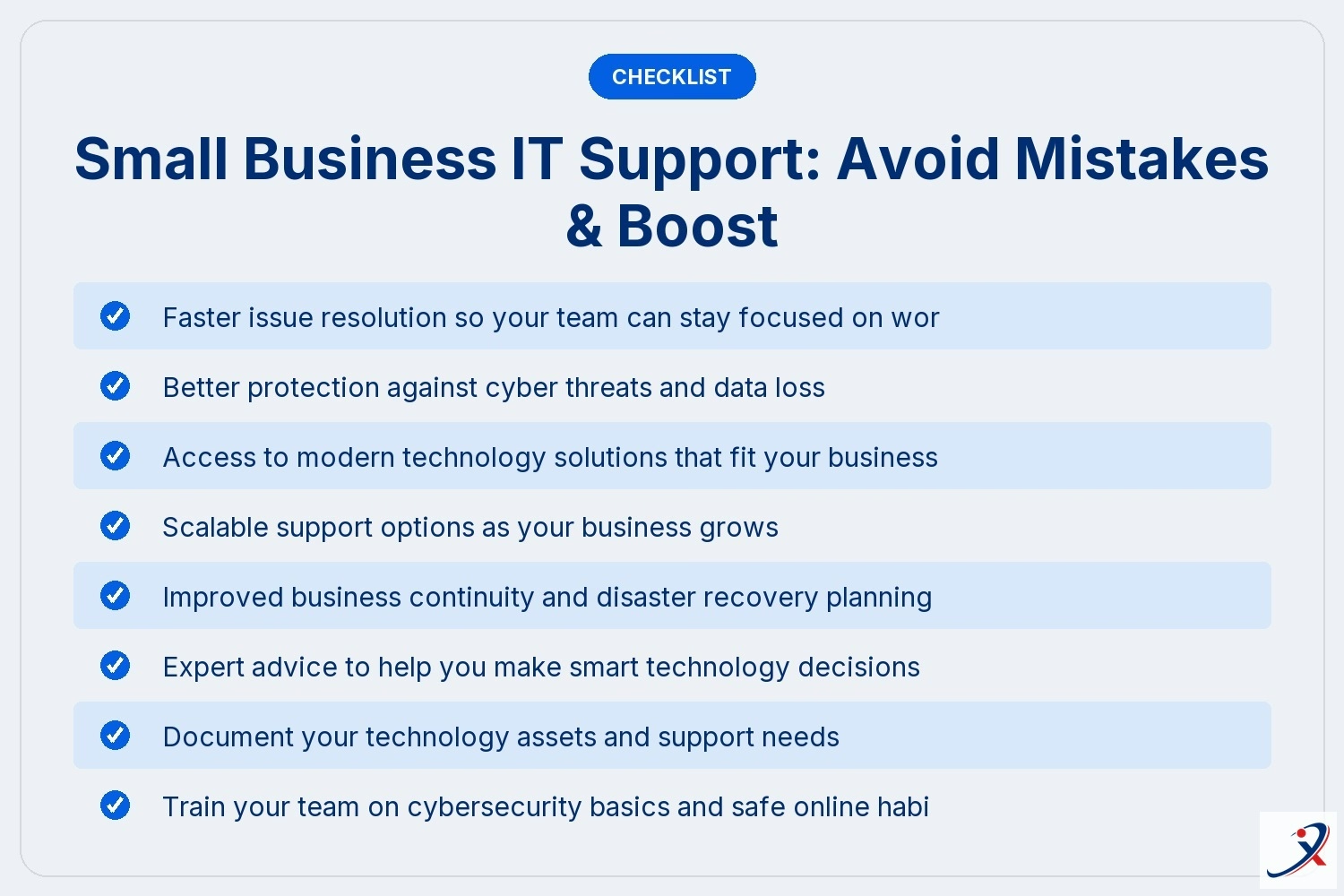
- Faster issue resolution so your team can stay focused on work
- Better protection against cyber threats and data loss
- Access to modern technology solutions that fit your business
- Scalable support options as your business grows
- Improved business continuity and disaster recovery planning
- Expert advice to help you make smart technology decisions

Why managed IT services matter for small businesses
Managed IT services give you access to a team of experts who handle your technology for a predictable monthly cost. This approach is especially helpful for small businesses that don’t have the resources for a full-time IT staff. With managed service, you get proactive monitoring, regular maintenance, and fast response to problems.
A managed IT provider can help you set up secure networks, manage cloud services, and keep your systems running smoothly. They also stay up to date on the latest threats and best practices, so you don’t have to worry about missing important updates or compliance requirements. As your business grows, managed IT services scale with you, making it easier to add new users or locations.
Essential strategies for reliable small business tech support
Getting the best IT support for your business means following proven strategies. Here are key steps to ensure your technology works for you.
Strategy #1: Assess your support needs
Start by identifying what technology you use and where you need help. This helps you choose the right support company and avoid paying for services you don’t need.
Strategy #2: Prioritize cybersecurity
Make cybersecurity a top priority. This includes using strong passwords, enabling multi-factor authentication, and training your team to spot phishing attempts.
Strategy #3: Invest in cloud services
Cloud services can boost productivity and make it easier to work from anywhere. Look for solutions that offer secure file sharing, backup, and collaboration tools.
Strategy #4: Set up regular data backup
Schedule automatic backups for all important files and systems. Test your backup solutions regularly to make sure you can restore data quickly if needed.
Strategy #5: Choose a responsive help desk
A fast, knowledgeable help desk is essential for resolving issues quickly. Make sure your provider offers remote support and clear communication.
Strategy #6: Plan for business continuity
Work with your IT provider to create a business continuity plan. This should cover how you’ll handle downtime, disaster recovery, and communication during emergencies.
Strategy #7: Review and update support options
As your business changes, review your IT support plan to make sure it still fits your needs. Stay flexible and open to new technology solutions.
How to implement the best IT support for a small business
Putting the right IT support in place takes planning and ongoing attention. Start by choosing a support company that understands your industry and can tailor solutions to your needs. Ask about their experience with businesses of your size and what support options they offer.
Next, work together to set up clear processes for issue resolution, regular maintenance, and emergency response. Make sure your team knows how to contact the help desk and what to do if they spot a problem. Finally, schedule regular reviews to update your technology strategy as your business grows.
Best practices for small business IT support
Following best practices helps you get the most from your IT investment:
- Document your technology assets and support needs
- Train your team on cybersecurity basics and safe online habits
- Schedule regular system updates and data backups
- Test your disaster recovery and business continuity plans
- Choose support services that can scale as your business grows
- Review your IT support plan at least once a year
Staying proactive with your IT support keeps your business running smoothly and protects you from unexpected problems.
How Alexant Can Help with small business IT support
Are you a business with 1-80 users, especially if you have 15-70 users and need reliable IT support as you grow? We understand the unique challenges facing growing businesses and offer solutions designed to fit your size, budget, and industry needs.
Our team at Alexant specializes in managed IT services for small businesses. We help you protect your business, boost productivity, and plan for the future. If you’re ready for dependable support, contact us today to see how we can help.
Frequently asked questions
What should I look for in small business IT support?
When choosing small business IT support, look for providers who offer fast response times and understand your industry. They should provide support services that include regular system maintenance and issue resolution. This helps prevent downtime and keeps your business running smoothly.
A good provider will also tailor their approach to your specific support needs. Ask about their experience with businesses of your size and their ability to troubleshoot problems quickly. Reliable support ensures you get the help you need, when you need it.
How can managed IT services help my business?
Managed IT services give you access to a team of experts who handle your technology for a predictable monthly fee. This managed service approach means you don’t have to worry about hiring full-time staff or keeping up with the latest tech trends.
With managed IT services for small businesses, you benefit from proactive monitoring, regular updates, and quick problem-solving. This helps protect your business from cyber threats and keeps your systems secure.
Why is cybersecurity important for small businesses?
Cybersecurity is critical because small businesses are common targets for cyber threats. Without strong protections, your data and reputation are at risk.
Investing in cybersecurity helps safeguard sensitive information and ensures business continuity. Regular training and security updates are key parts of a strong defense.
What are the benefits of using cloud services?
Cloud services offer flexibility and allow your team to work from anywhere. They make it easy to share files, collaborate, and back up important data.
By using cloud services, you can scale your technology as your business grows and reduce the risk of data loss. Look for providers who offer secure, reliable solutions.
How do I know if I need to upgrade my business technology?
If your systems are slow, outdated, or can’t support new software, it may be time to upgrade. Up-to-date business technology improves productivity and helps you stay competitive.
Regular reviews with your IT provider can help you spot areas for improvement. Upgrading ensures your technology solutions match your business goals.
What should I do if my business experiences downtime?
If you experience downtime, contact your IT support company right away for help desk assistance. Quick action can minimize disruptions and protect your business from further issues.
Having a disaster recovery plan and backup solutions in place helps you recover faster. Regularly test your plans to make sure you’re prepared for unexpected events.